Create Facility:
To create a new facility, select the ‘Add Facility’ button to populate facility name and address.
BiggerPicture utilizes Google to validate the provided address and will prompt you to verify the address if it is not recognized by Google. You will be able to enrich details from the My Facilities menu. You will be able to enrich details from the My Facilities menu.
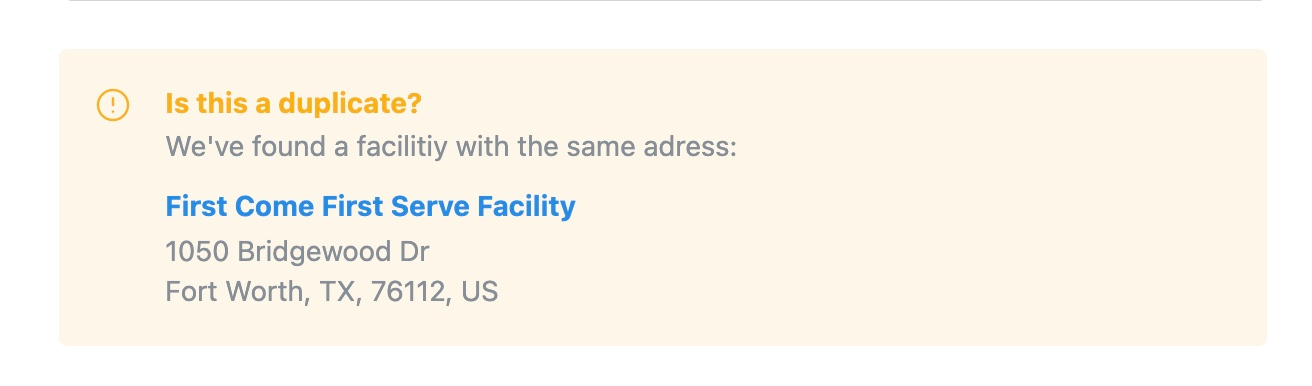
Note: If a duplicate address is detected, we will confirm with you prior to the new facility being saved.
Imported Facilities:
Facilities can be imported by API or Browser Extension.
View/Edit Facility:
Once a facility is created, enhance facility information from the profile such as:
Facility details
Amenities
Shipping & Receiving schedule
Appointment Acceptance Window
Scheduling Workflow
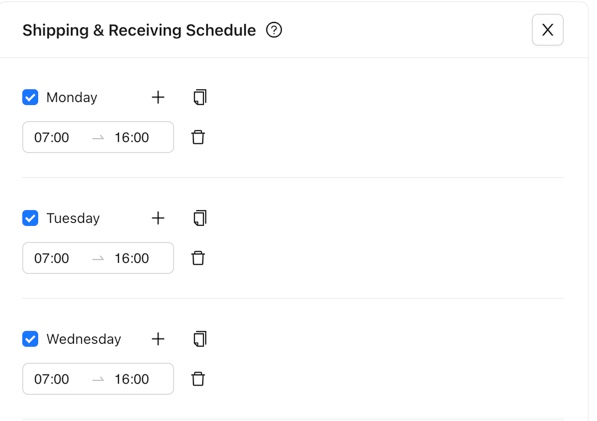
Shipping & Receiving Schedule
The shipping & receiving schedule will set the available time slots that are available to book.
Add operating hours for each day that the facility is operating
Tip: Create a schedule for Monday and duplicate it for the rest of the week by selecting the copy button
Appointment Acceptance Window
Set parameters for your team to book appointments with the facility by establishing parameters for the following
Appointment Request Cut Off (Same day, 24/48/72/96 hours in advance)
Schedule appointments in advance (1,2,3,or 4 weeks)
Allow or Disallow Same Day Rescheduling
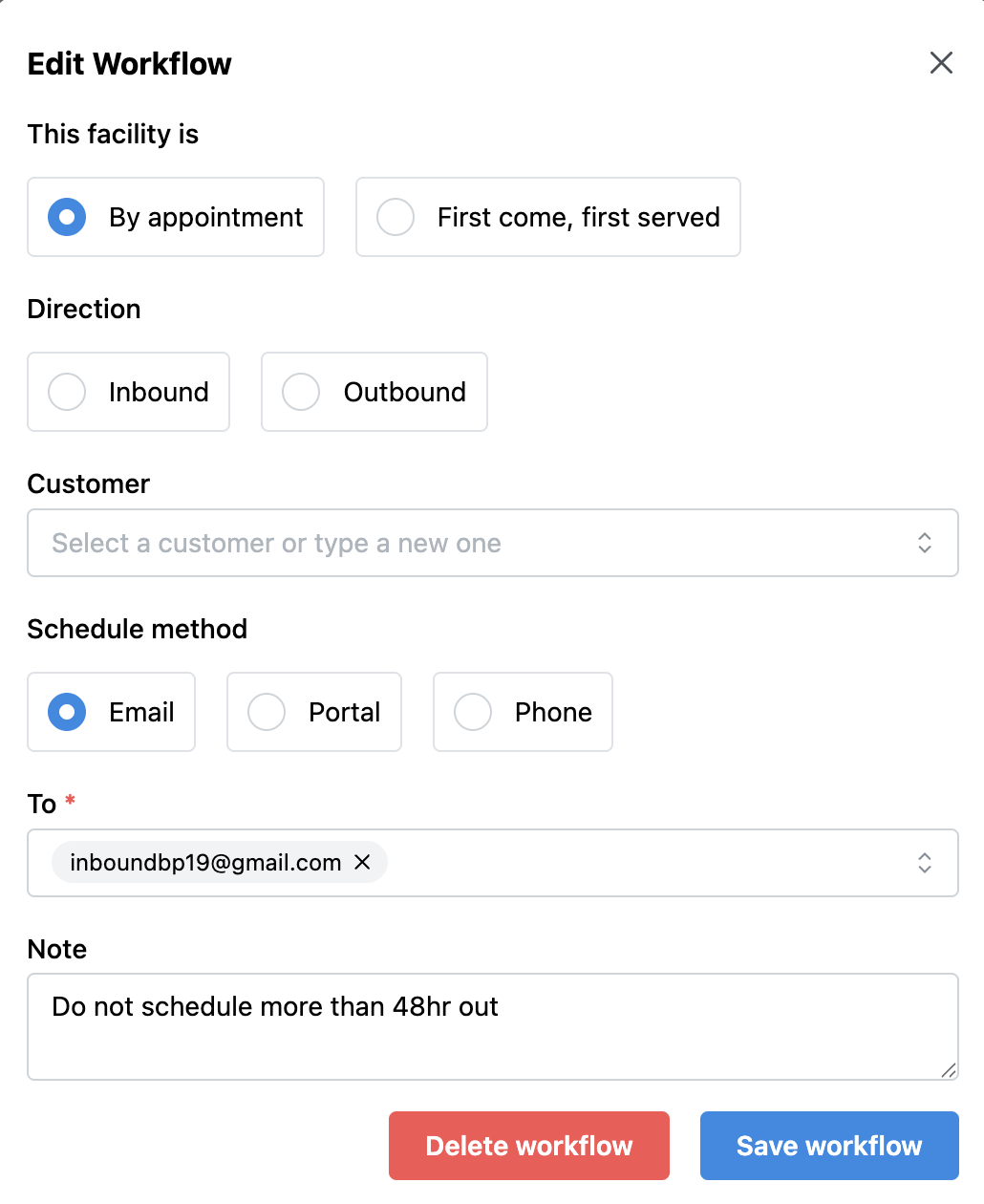
Scheduling Workflow
New appointments will be routed to the preferred scheduling method defined in the scheduling workflow. The scheduling method for the facility can be by email, portal, or phone.
If by Email, each scheduling workflow will be unique based on the combination of:
Customer + Direction (IB/OB) + Email Address of Recipient
If by Portal, each scheduling workflow will be unique based on the combination of:
Customer + Direction (IB/OB) + URL of Portal Link
If by Phone, each scheduling workflow will be unique based on the combination of:
Customer + Phone Number
Was this article helpful?
That’s Great!
Thank you for your feedback
Sorry! We couldn't be helpful
Thank you for your feedback
Feedback sent
We appreciate your effort and will try to fix the article