BiggerPicture’s email platform sits seamlessly between the sender and receiver, capturing all order-related communication in a centralized system. For API-enabled clients, status updates are automatically pushed into your TMS—eliminating double entry.
Email Flow Overview:
Depending on your setup, emails will be sent in one of two ways:
Without DNS Access
Emails will show your organization name (e.g., Cali Trucking) but use a BiggerPicture-managed email address, such as:
appts@biggerpicture.co
With DNS Access
If DNS access is granted, emails will come directly from your company email, such as:
Ali@calitrucking.com
➡️ This ensures complete brand alignment.
- Centralized Communication: All email threads are visible and trackable in one place
- Flexibility: Maintain brand presence whether or not DNS access is granted
- Efficiency: API integrations sync updates directly to your TMS—no duplicate work
✨ Key Benefits
- Centralized Communication: All email threads are visible and trackable in one place
- Flexibility: Maintain brand presence whether or not DNS access is granted
- Efficiency: API integrations sync updates directly to your TMS—no duplicate work
Standard Email Template
All scheduling emails sent through BiggerPicture include a standardized table to ensure facilities receive consistent, clear information—minimizing back-and-forth and improving confirmation speed.
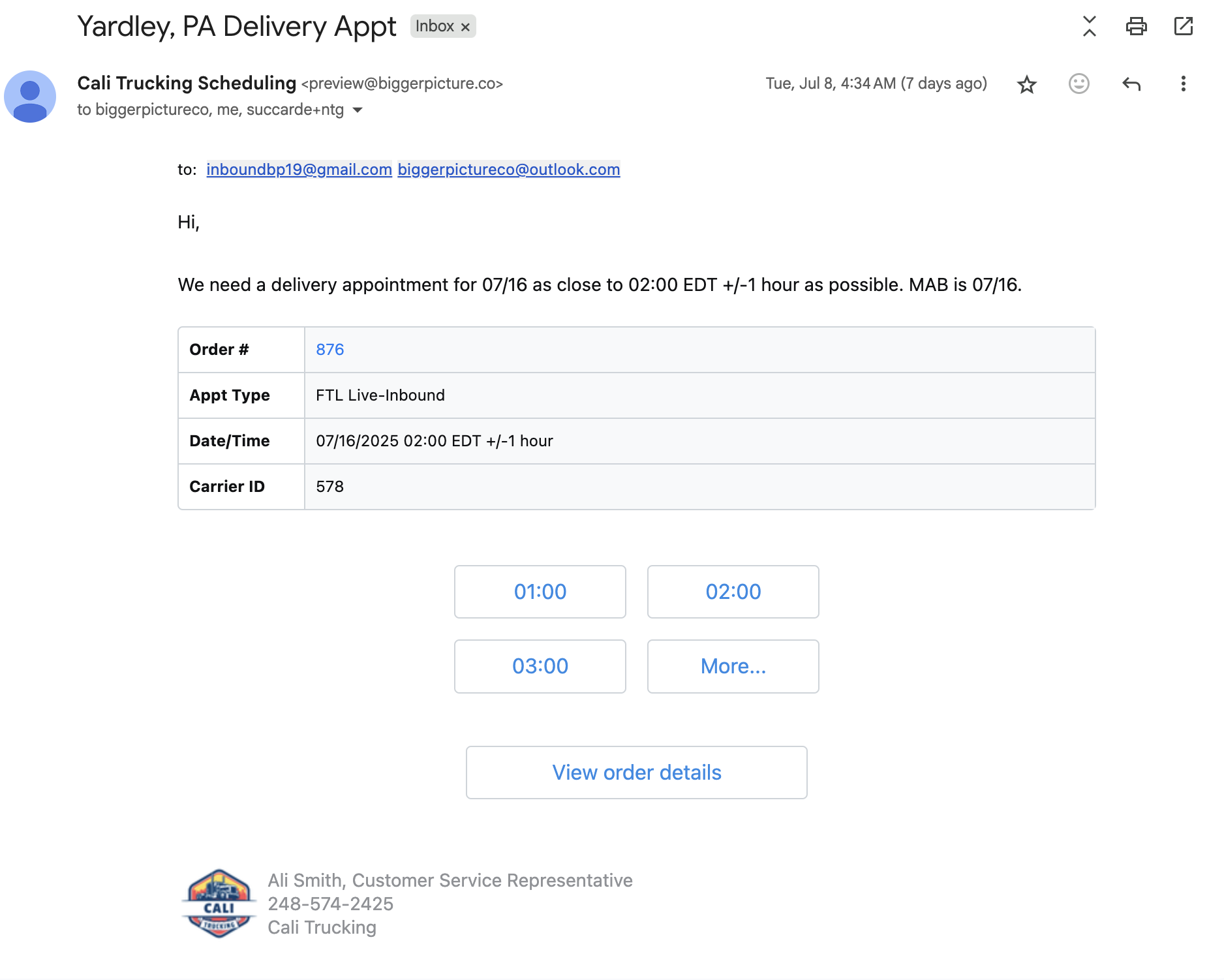
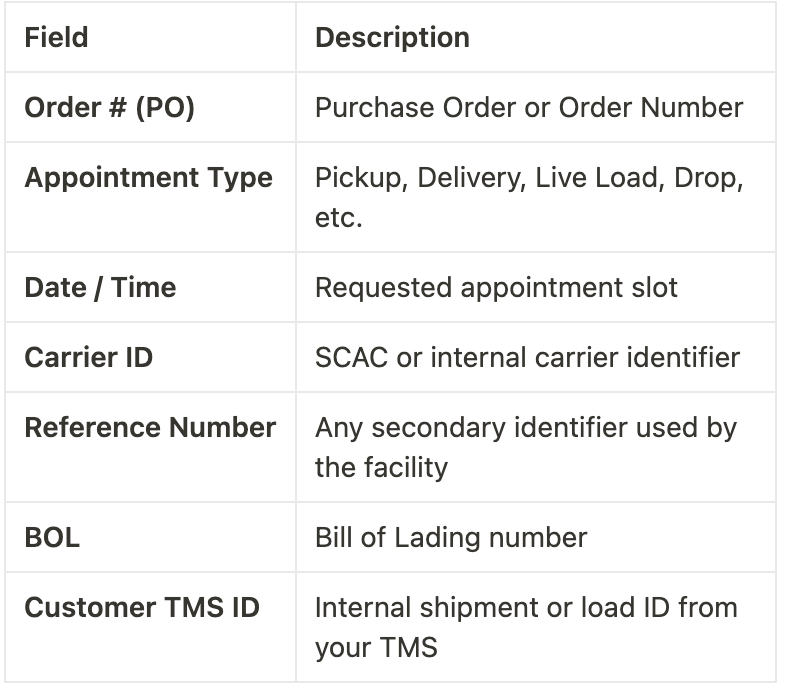
As long as the following fields are available in your TMS, they will be automatically pulled in and displayed in the email:
Email Scheduling Actions:
These actions allow you to manage shipment updates directly within the BiggerPicture workflow:
Send at Bulk:
Save and send it with multiple appointment requests in a single email
Reschedule
Update the date and time on a pending or scheduled shipment.
Resend
Modify the recipient contacts or message content, then resend the scheduling request.
N/A (Not Applicable)
If a shipment is being scheduled outside of BiggerPicture, mark it as N/A to remove it from the appointment board and prevent clutter.
On Hold
When shipments are not ready, the order is on hold until the shipment is ready
Cancel
If an appointment is in pending or scheduled status, a notification will be sent to the facility to cancel the appointment. If the appointment is in draft status, the draft will be removed from the appointments board
Was this article helpful?
That’s Great!
Thank you for your feedback
Sorry! We couldn't be helpful
Thank you for your feedback
Feedback sent
We appreciate your effort and will try to fix the article