Internal Distribution Lists
Easily manage shared inboxes for customers or teams.
Go to: app.biggerpicture.co/distributionlists
How to Set Up:
- Distribution Email: e.g.,
MillerCoors@calitrucking.com - Label: e.g., MillerCoors Ops
- Assign multiple customers to a single distribution email
- Distribution emails appear automatically in the scheduling workflow based on customer matches
Email Templates:
Create and manage reusable email templates tailored to your workflow.
How to Access: https://app.biggerpicture.co/emailtemplates
- Click your avatar → Email Settings → Email Templates
Template Fields:
- Name: Used to select the template in the scheduling window
- Auto-Fill: Use
{{ }}to insert dynamic shipment/order fields
Note: Table will still be included in email
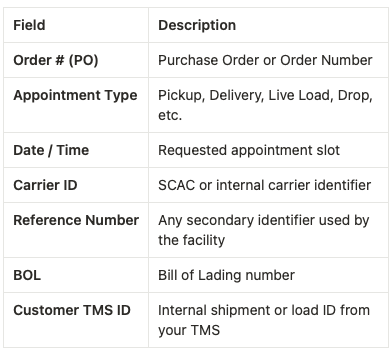
Visibility Options:
- Facility: Visible only for selected facilities
- Customer: Visible for all orders tied to a customer
- Private: Visible only to the creator
- No Selection: Available organization-wide
Name Descriptions:
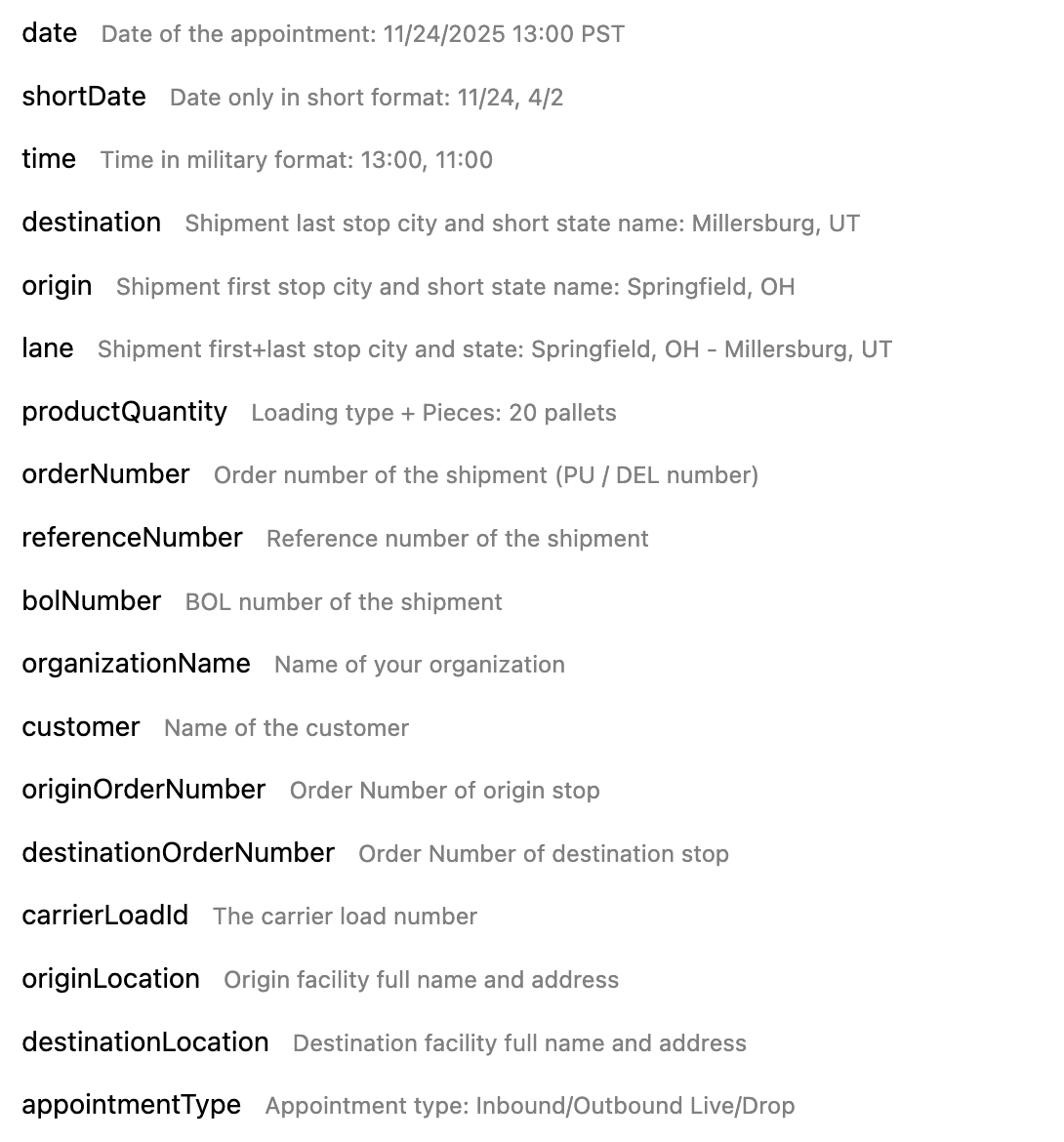
Important: You don’t need to edit the values within the brackets{{ }}- they will populate automatically
Was this article helpful?
That’s Great!
Thank you for your feedback
Sorry! We couldn't be helpful
Thank you for your feedback
Feedback sent
We appreciate your effort and will try to fix the article