https://app.biggerpicture.co/emailtemplates/
For Scheduling Requests in BiggerPicture
BiggerPicture lets you streamline appointment scheduling by using customized email templates that automatically populate relevant shipment details. Follow the steps below to create and manage your templates.
1. Create a New Template
Go to: app.biggerpicture.co/emailtemplates
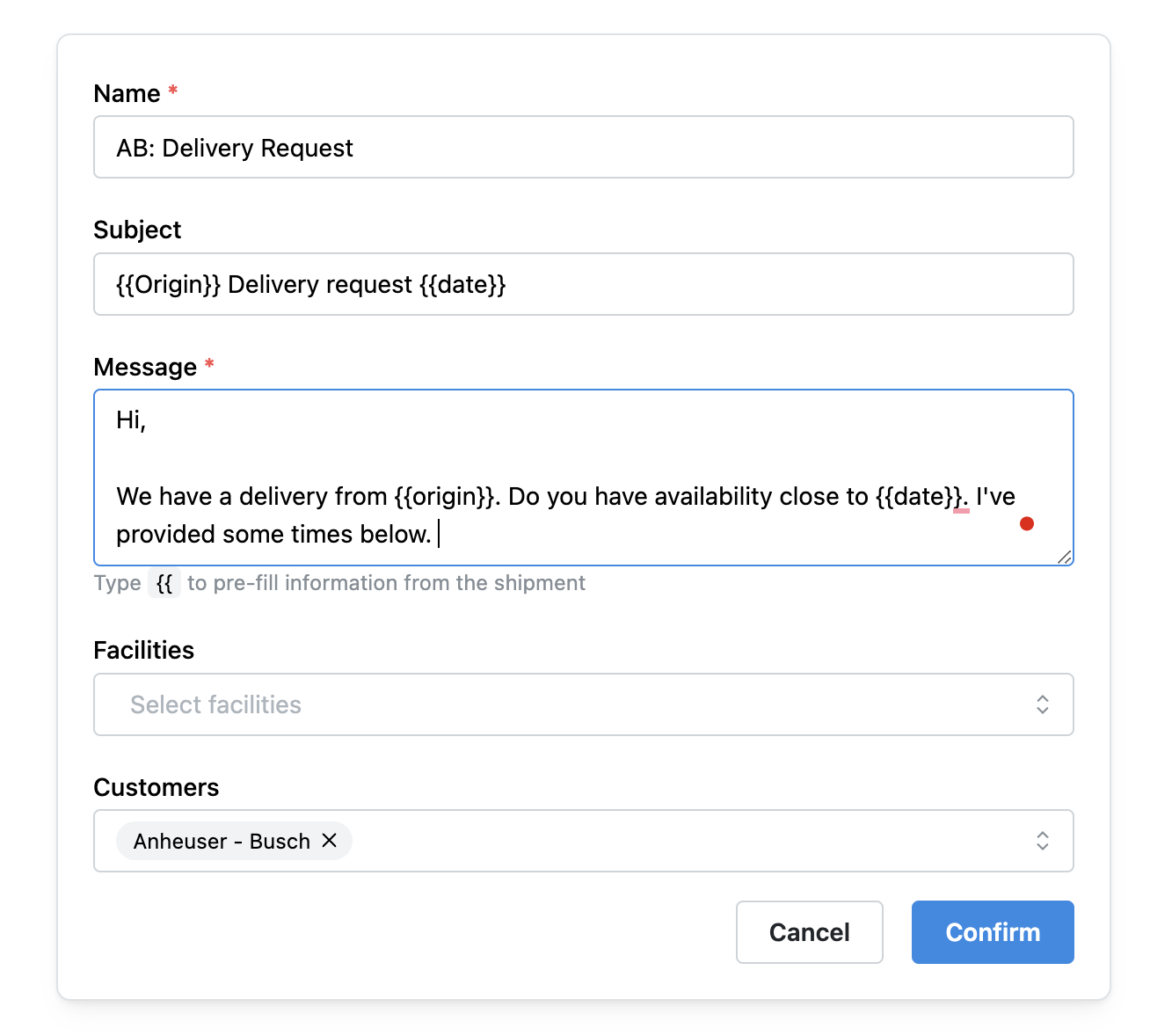
Click Create Template
Give your template a clear, recognizable Name – this is how it will appear when selecting templates in the workflow.
Customize the Subject Line and Body Text to reflect your preferred messaging.
Use
{{ }}to insert dynamic fields (e.g.{{OrderNumber}},{{Origin}}) that auto-populate from shipment data.
⚠️ Note: If a field is not filled in when the order is imported into BiggerPicture, the placeholder will remain blank in the email.
2. Assign Your Template
Determine where the template should be used:
Assign to Facilities or Customers: Link your template to specific facilities or customers. When a matching order is scheduled, the template will automatically be suggested.
You can also create templates for portal override requests or other specific workflows.
3. How Templates Are Applied
Templates appear in the scheduling workflow based on:
The templates you’ve manually created and saved
orTemplates assigned to customers or facilities that match the current order’s attributes
4. Edit on the Fly
During the scheduling workflow, you can:
Select an existing template
Edit any part of the message before sending
Add missing shipment information as needed
For best results, create templates that mirror your common workflows—this saves time, reduces errors, and keeps messaging consistent across your team.
Need help or want to request a new input field? Contact us at support@biggerpicture.co.
Was this article helpful?
That’s Great!
Thank you for your feedback
Sorry! We couldn't be helpful
Thank you for your feedback
Feedback sent
We appreciate your effort and will try to fix the article